On this page
How to Build an AI Agent for Lead Generation in 2026
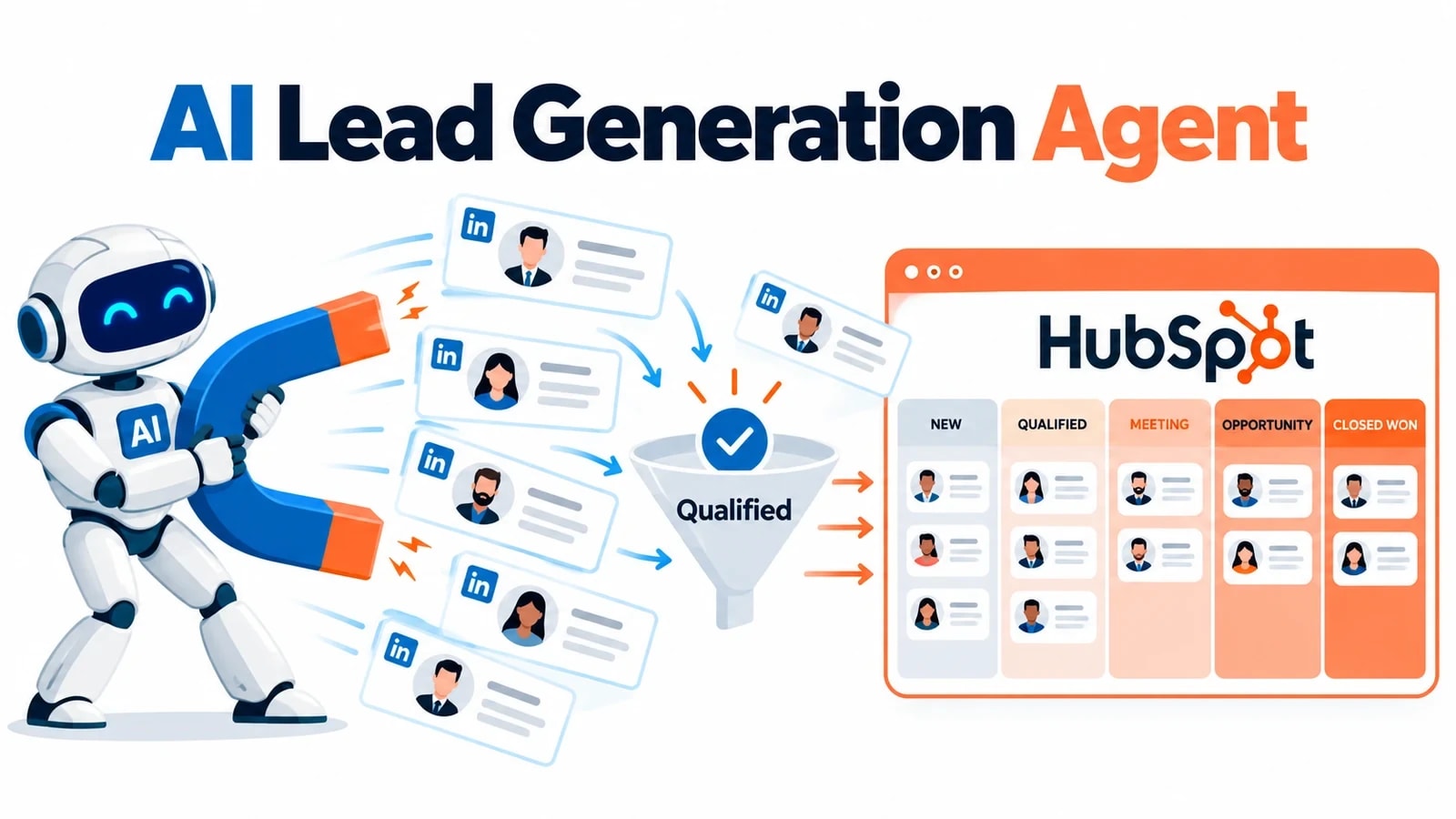
For B2B sales and marketing teams that want an AI agent to find, qualify and warm up leads without producing a pile of spam, an effective lead generation agent does four jobs: researches accounts against your ideal customer profile, enriches and scores them, drafts personalised outreach that a person reviews, and writes everything back to your CRM. It should never send first-touch messages unreviewed, and it should be judged on pipeline created, not on how many emails it sends.
You can build a useful version with no-code tools in a couple of weeks. A custom build makes sense once your data, volume or compliance needs outgrow those tools. The sections below cover both.
What a lead generation agent actually does
Think of it as a junior researcher with a checklist, not a salesperson.
| Stage | What the agent does | Who decides |
|---|---|---|
| Research | Finds companies and contacts matching your ICP from approved sources | You define the ICP |
| Enrichment | Adds firmographic and context data (size, tech stack, recent news) | Agent, with source links |
| Qualification | Scores fit against explicit criteria and explains why | Sales reviews borderline cases |
| Outreach drafting | Writes a first-touch email or LinkedIn note using verified facts | A human approves before sending |
| CRM sync | Creates or updates records, logs activity, sets tasks | Agent, with duplicate checks |
| Follow-up | Suggests next steps and reminders | Rep decides |
Working on something like this? Talk it through with the team that builds it.
Step by step: building it
Step 1: Write down your ICP and disqualifiers
Be specific: industry, company size, geography, trigger events, roles, and what makes a lead a poor fit. The agent can only qualify against rules you can state. Take 20 closed-won and 20 closed-lost deals and write down what they had in common. This is the most valuable hour of the project.
Step 2: Choose your data sources
Use sources you are allowed to use: your own CRM and website forms, licensed data providers, public company websites and filings, and professional networks where their terms permit. Check each provider's terms before scraping anything. Keep a record of where every data point came from, since you will need it for accuracy and for privacy requests.
Step 3: Build research and enrichment
In a no-code tool such as Make, n8n or Zapier, a typical flow takes a company domain, calls an enrichment provider, reads the company's website, and asks a language model to summarise what they do and any relevant signals, with links. Require the model to cite the page it used. If it cannot find something, the field stays empty. A blank is better than a plausible guess.
Step 4: Score and explain
Give the model your criteria and ask for a score plus the reasons, drawn only from the enriched data. Combine this with simple rules (for example, exclude competitors and existing customers) that do not rely on the model at all. Compare the agent's scores against your sales team's judgement on 50 past leads before trusting it.
A worked example, with labelled assumptions: a team sells to UK logistics firms with 50 to 500 staff. The agent finds 200 candidates. Rules remove competitors and existing customers (30 left out). The model scores the remaining 170 against the ICP and cites the page behind each score. Sales reviews the top 40 and rejects 12, noting why. Those 12 reasons (for example "already outsourced to a 3PL") become new disqualifiers for the next run. The learning loop, not the first run, is where the value comes from.
Step 5: Draft outreach, with a human in the loop
Generate drafts from verified facts, such as a recent hire or product launch, and your own approved messaging. Put them in a review queue in your CRM or a shared tool, where a rep approves, edits or rejects each one. Do not auto-send cold outreach. The reasons are practical as well as legal: unreviewed AI messages contain wrong facts, odd phrasing and the wrong person's name often enough to damage your domain reputation and brand.
Step 6: Sync to the CRM
For HubSpot, Salesforce and similar, create records with a clear source field, check for duplicates by domain and email before creating, and log which agent version produced the data. Write agent notes to a separate field so reps can see what is human-entered and what is machine-generated. For context, we built a real-time sales-copilot Chrome extension that syncs call summaries to HubSpot, which is the same pattern of machine-generated notes landing in a rep's CRM record (see Chrome extension development).
Step 7: Measure pipeline, not volume
Emails sent and leads scraped are vanity numbers. Track:
- qualified leads accepted by sales, as a share of leads the agent surfaced;
- meetings booked and opportunities created from agent-sourced leads;
- rep time saved on research per account, measured before and after;
- reply quality (positive, neutral, unsubscribe, complaint);
- cost per qualified opportunity, including tools, model usage and review time.
Compare against a baseline period or a control group of leads handled the old way. If the agent produces more leads that sales rejects, tighten the criteria.
Compliance basics for outreach
Rules vary by country and change, so check the current requirements with your legal adviser before you scale. The laws to look up depending on where your prospects are include CAN-SPAM (US), GDPR and ePrivacy rules (EU and UK), CASL (Canada), and the Unsolicited Electronic Messages Act and Privacy Act 2020 (New Zealand). Broadly, they cover who you are, how people opt out, what lawful basis or consent you hold, and what you tell people about the data you collect.
One recent change for New Zealand: from 1 May 2026, information privacy principle 3A may require you to notify people when you collect their information indirectly, which includes much enrichment data (Ministry of Justice, Bell Gully).
Build in a suppression list, an unsubscribe route that works, and records of the source and basis for each contact. Automation makes it easy to break these rules at volume, which is a good reason for the review step.
When to choose custom over no-code
No-code agents are the right start for most teams. They are quick to change and cheap to test. Consider a custom build when:
- you need to combine first-party data (product usage, past purchases) with prospecting data and control exactly where it goes;
- volume makes per-task pricing expensive;
- you need your own scoring models, evaluation sets and audit logs;
- the agent must plug into internal systems with no ready connector;
- you operate in a regulated sector and need tighter data handling. Our guide on private and compliant AI systems explains the options.
As a rough check on build cost: published 2026 estimates from development vendors (Kellton, aichat, SoluLab, Cleveroad) put a single-purpose custom agent at roughly $5,000 to $50,000, and multi-step systems at $25,000 to $100,000 or more, with yearly maintenance quoted at 15 to 30% of the build cost. Those are seller figures, so confirm that the time saved on research justifies them.
The same patterns apply on the marketing side. If you want personalised campaigns for existing customers, see our guide to building an AI marketing agent.
How to decide what to do next
Before you start, check that:
- You can state your ICP and your top five disqualifiers.
- Sales agrees to review the agent's drafts and give feedback.
- You have a legal basis and a suppression process for the regions you target.
- You have a baseline for current research time and meeting rate.
- Someone owns the agent and reviews results every week.
Red flags: tools that promise thousands of "personalised" emails a day, no source citations on enriched data, and no way to see why a lead was scored the way it was. Questions for a vendor: where does the contact data come from and under what terms, can I see the reasoning behind each score, and how are opt-outs synchronised across your tool and my CRM?
Frequently asked questions
Can an AI agent replace a sales development rep?
It can take over research, enrichment and first drafts, which are a large share of the work. It is weaker at judgement, relationship building and handling replies. Most teams get better results using it to make reps faster than trying to remove them.
Which no-code tools work for lead generation agents?
Make, n8n and Zapier can connect enrichment providers, a language model and your CRM. HubSpot and similar CRMs also have built-in AI features. Pick based on your existing stack, the connectors you need and how you want to handle data.
How long does it take to see results?
A no-code pilot can be running within a couple of weeks, but a fair read on pipeline impact usually takes a full sales cycle. Compare against your baseline rather than judging on the first week of replies.
If you are also working on the customer side, the guide to building an AI marketing agent covers segmentation and reviewed content drafts.
Sources
- NZ IPP 3A: Ministry of Justice, Bell Gully
Cost figures in this article are published 2026 estimates from development vendors, not independent benchmarks.
Written by the Futurise Solutions team. We use AI tools to help with research and drafting; our team edits each article and checks figures and regulatory details against the sources linked in it. Spotted something wrong? Email us.